> For the complete documentation index, see [llms.txt](https://doc.sololeveling.space/llms.txt). Markdown versions of documentation pages are available by appending `.md` to page URLs; this page is available as [Markdown](https://doc.sololeveling.space/user-guide/ranking.md).
# Ranking
Hunter Rankings allow users who have achieved Hunter Rank S to compete in the TOP 100 rankings. Users who have reached Hunter Rank S can check their season score in real-time, which is calculated base
## 1. My Ranking/ Hunter Ranking
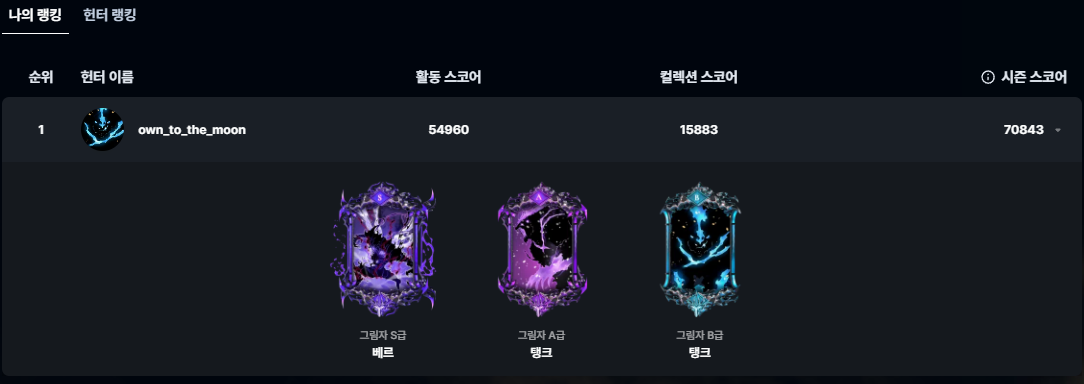
Image of My Ranking
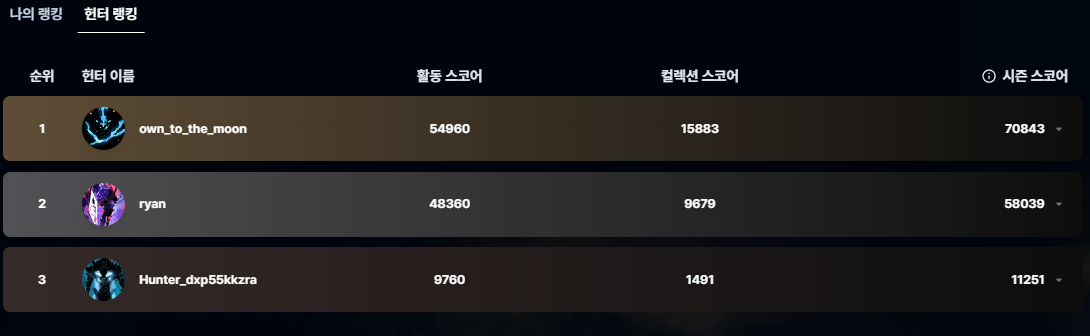
Image of Hunter Ranking
During the season, users who achieve S-rank or higher can check their season score (activity score + collection score) and their ranking based on the score on the ranking page.
Especially, if users possess Shadow Legion cards (B-rank, A-rank, S-rank), they can check these cards within the "My Ranking" tab. Additionally, in the "Hunter Ranking" tab, users can view scores and rankings of other users, and by clicking on other users, they can also see the list of digital collectibles they own.
## 2. My Hunter Rank
Image of My Hunter Rank
The Top 100 season rankings are determined by season scores. My hunter rank (E to S grade) increases by earning points through gate-clearing activities and leveling up activities.
## 3. Ranking Reward
At the end of the season, we will provide detailed information about the rewards that will be given to users who rank in the Top 100.